 PASSIVERS


Web browser
Reads sites, clicks, types and works in signed-in pages
Research, documents and spreadsheets, blog posts, even videos. Tell PASSIVERS Agent what you need, and it makes a plan, works the programs it needs, and hands you the results as files.
Windows 10 and 11 · macOS coming soon · version 1.4.0 · 3-day free trial, no card
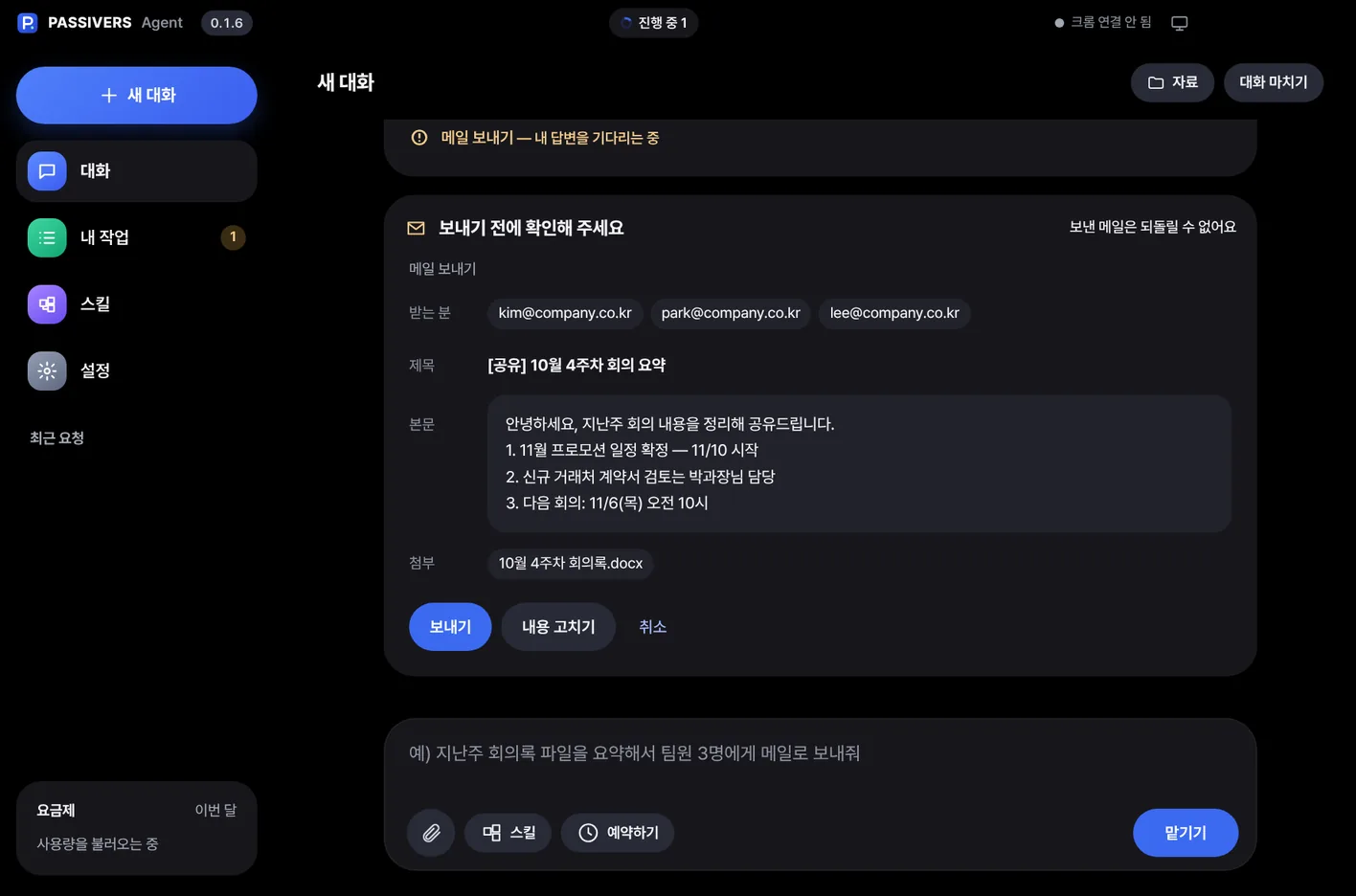
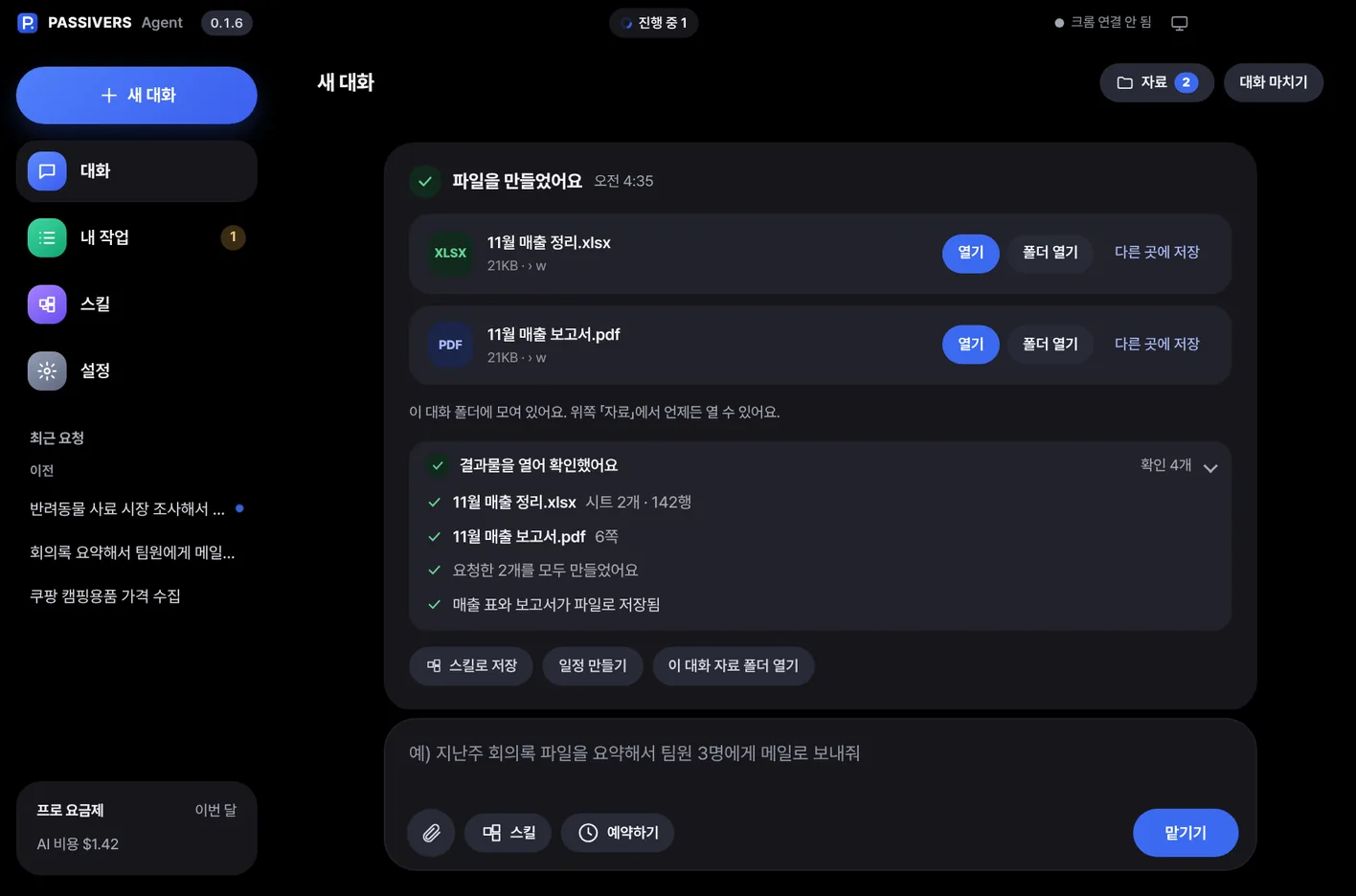
The window is the real PASSIVERS Agent; the floating results are a demo example
Try this exact requestPre-registration event · until Nov 30
Programs and services PASSIVERS works with directly
When you send a request, this is what happens inside PASSIVERS, step by step.
Works out what you want and what shape the result should take. If anything is unclear, it asks first.
Picks only the tools it needs from 300+ and breaks the job into steps.
Works the browser, Excel and video tools itself. If it gets stuck, it tries another way.
Checks for empty files and missing content, and makes sure the count matches what you asked for.
Hands over the result files with a short summary and suggests what to do next.
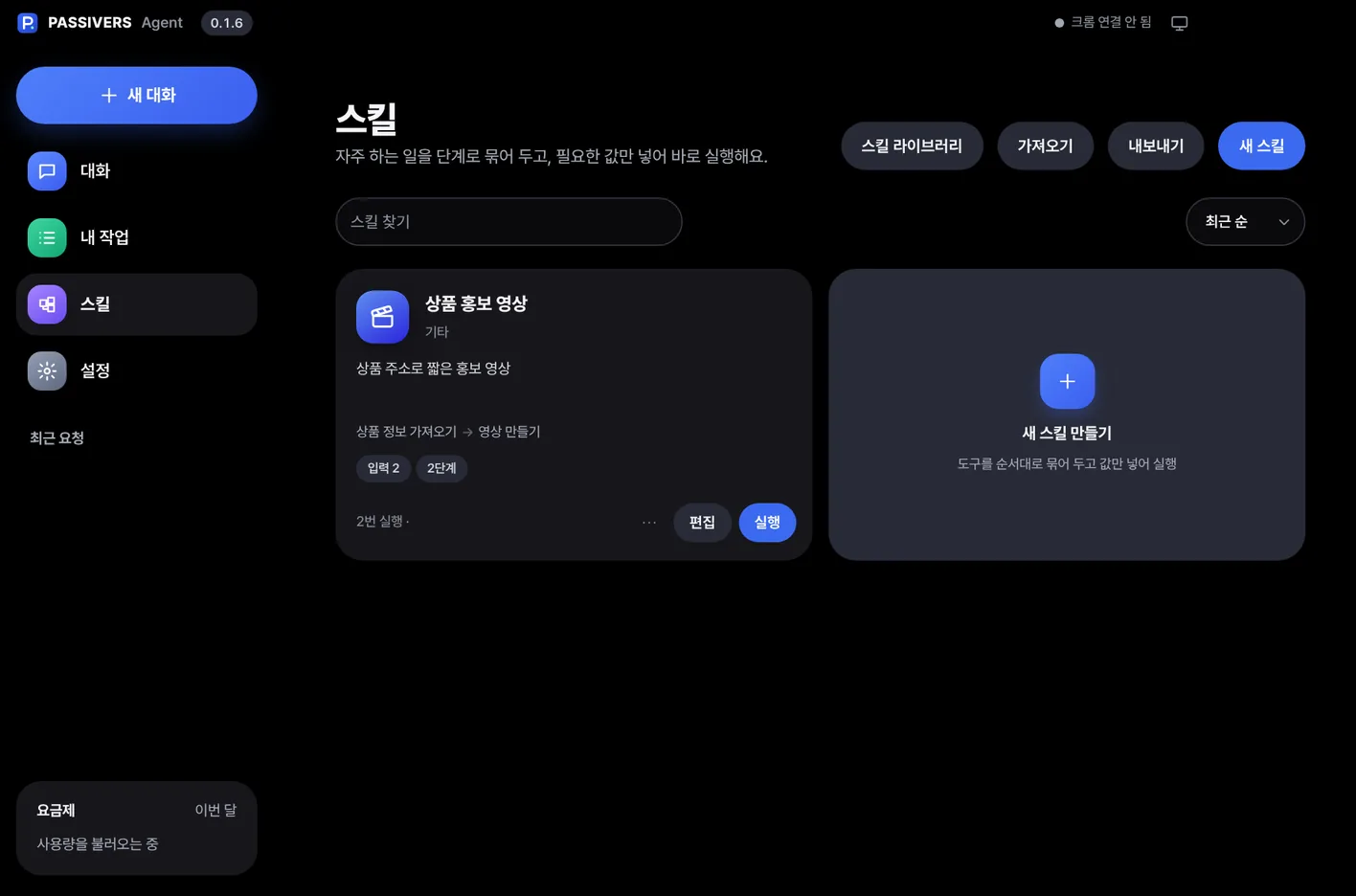
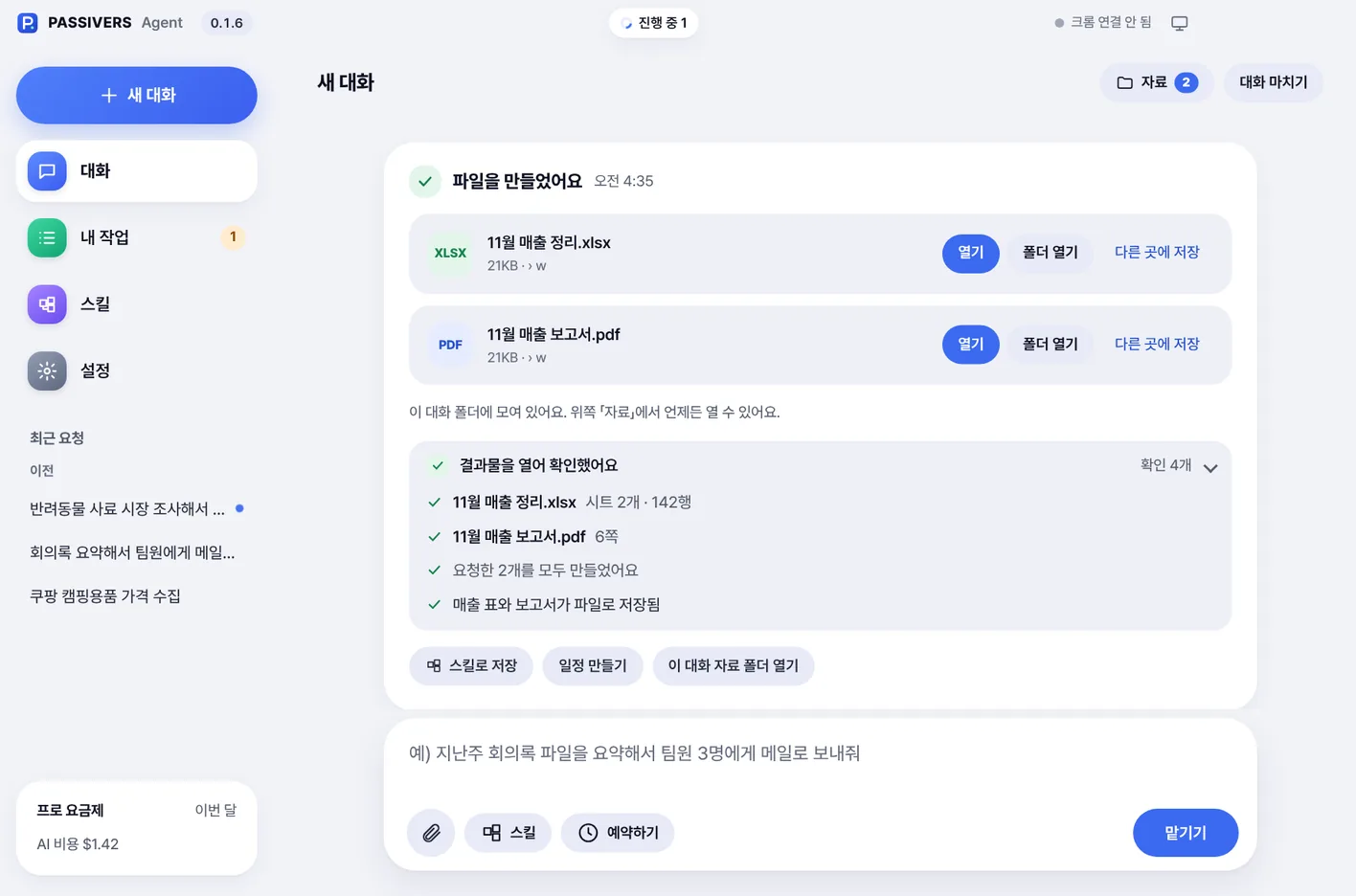
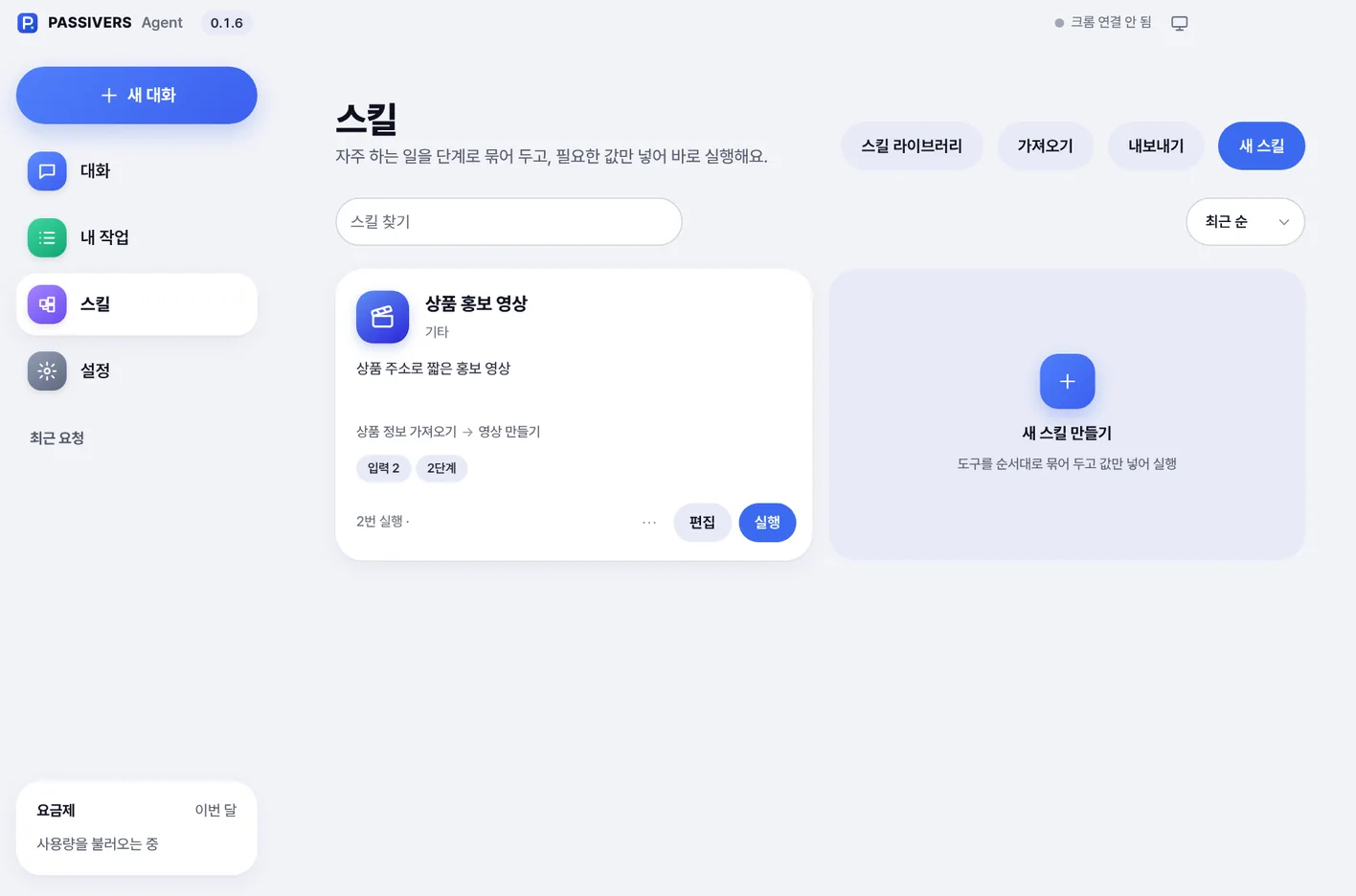
These are screens from the app itself, not mock-ups.

The same agent becomes a different assistant for every kind of work. Pick your line of work.
Hand off everything from product descriptions to competitor price checks and sales reports.
Check the prices of 20 competitor products every day and put them in a table
XLSXcompetitor_prices.xlsx
Look at the photos on this product page and write a detailed description
TXTproduct_details.txt
Make a sales report from last month's orders CSV
PDFmonthly_sales_report.pdf
You can type these requests in as they are
Finding topics, writing, publishing and replying to comments, all in one flow.
Write up this week's event as a blog post and share it on Threads too
TXTevent_post.txt
Make a topic sheet from the 30 most-searched keywords right now
XLSXtopic_keywords.xlsx
Reply politely to the new comments on the blog
TXTreply_log.txt
You can type these requests in as they are
Hand off repetitive work like captions, narration and Shorts, and focus on creating.
Transcribe the interview video and make a subtitle file
SRTinterview_subs.srt
Read this script in a calm voice and give me an MP3
MP3narration.mp3
Make a vertical Short with music from 20 photos
MP4vertical_short.mp4
You can type these requests in as they are
Meeting notes, organizing documents, sorting files: done with a single sentence.
Listen to the meeting recording and write up minutes focused on the decisions
TXTmeeting_minutes.txt
Pull just the terms and amounts from these 5 contract PDFs into a table
XLSXcontract_summary.xlsx
Sort the files in my Downloads folder into folders by type
128 files sorted
You can type these requests in as they are
Work solo like a team. Schedule repeat tasks and they run on their own.
Check competitors' announcements every Monday morning and sum them up
TXTcompetitor_news.txt
Tidy up these quote details and turn them into a PDF quote
PDFquote.pdf
Split the orders CSV by client into an Excel ledger
XLSXledger_by_client.xlsx
You can type these requests in as they are
Hand off finding and organizing material, and spend your time thinking.
Compare the methods and results of these 3 paper PDFs in a table
XLSXpaper_comparison.xlsx
Transcribe the lecture video and make summary notes
TXTlecture_notes.txt
Draw charts for my presentation from this experiment data
PNGresults_chart.png
You can type these requests in as they are
Work you hand off in words comes back as files ready to use.
With dedicated tools for each area, it can handle most of what people do at a PC.
Reads sites, clicks, types and works in signed-in pages
Summarize, merge, split, convert formats
Tidy tables, calculations, charts, CSV conversion
Reports, blog posts, translation, matching your tone
Resize, combine, capture the screen
Trim, join, captions, fast GPU encoding
Read aloud in many voices, transcribe recordings
Post to Naver Blog, Threads and X
Read product info and prices from Coupang and Naver
Organize folders, rename, compress
Daily or weekly repeats, runs at a set time
Save a workflow that went well and rerun it with one click
From a browser on your phone or another computer, give tasks to the agent on your PC, follow its progress, and approve important steps.
Share proven workflows as skills. Install one, and your agent can do the same job.
It does the work. You make the calls.
Things that are hard to undo, like sending email, publishing posts, payments or deleting, happen only after you approve. You decide what needs confirming.
Work files and history stay on your PC. With remote access on, only progress updates and requests pass through our server.
Connect your own key to the AI you like: OpenAI, Google Gemini, Anthropic Claude, DeepSeek and more. You pay each AI company directly for usage.
Connect directly with your own key, and pay each AI company only for what you use.
Try it free for 3 days, then pick a plan if you like it.
It runs on Windows 10 and 11 PCs, and a Mac (macOS) version is on the way. Download the installer, run it, and you're ready to go.
Yes. PASSIVERS works with your own AI key, so you pay AI companies like OpenAI or Google directly for usage. Plan prices don't include AI usage fees.
No. The work happens on your PC, and files are saved there too. What you send to an AI goes only to the AI company you connected.
It always asks first before anything hard to undo. Payments and deletions never happen without your approval, whatever your settings.
Get a connection code from My account on the website and enter it in the app's settings. Available on Pro plans and up.
Upload a skill you made in the app to the library and set a price. It goes live after review, and we pay out your sales every month.
Setup takes about a minute. Try it free, then decide.